
Plan around real availability and keep every event moving.
Whenish brings personal calendars, public availability, invite links, attendee tools, comments, and organiser checklists into one calm product so people can stop guessing and start deciding.
Free accounts can join unlimited events and manage personal planning. Premium unlocks organiser workflows, and every new account starts with a 30-day premium trial.
- Personal calendar and day views that stay readable on mobile.
- Shareable invite links that keep attendance out of your inbox.
- Comments and checklists that keep every event aligned.
30-day
premium trial included for every new account
Public + private
visibility controls that protect sensitive plans
1 invite link
a faster way to gather attendees without back-and-forth
Invite links
Share one event URL instead of managing another email thread.
Checklists
Keep prep visible with shared or personal progress on every event.
Privacy
Public calendars reveal availability while private details stay protected.
Everything included
Everything your team needs to coordinate
From personal planning to premium organiser workflows, Whenish covers the full coordination cycle inside one account with a cleaner, calmer interface.
Invitation handling
Open invite pages, review pending invitations, and accept or decline attendance without extra admin.
Event comments
Comment on public events and on private events you organise or attend so plans stay attached to the event.
People search
Find other users by name, email address, or user ID and open their public calendar in a few seconds.
Public calendar sharing
See when other people are busy while private events stay masked instead of exposing the real details.
A cleaner flow
From first plan to everyone aligned
The product is designed to reduce the usual coordination drag: find the right time, create or join the right event, and keep every detail attached to the plan itself.
See your real schedule
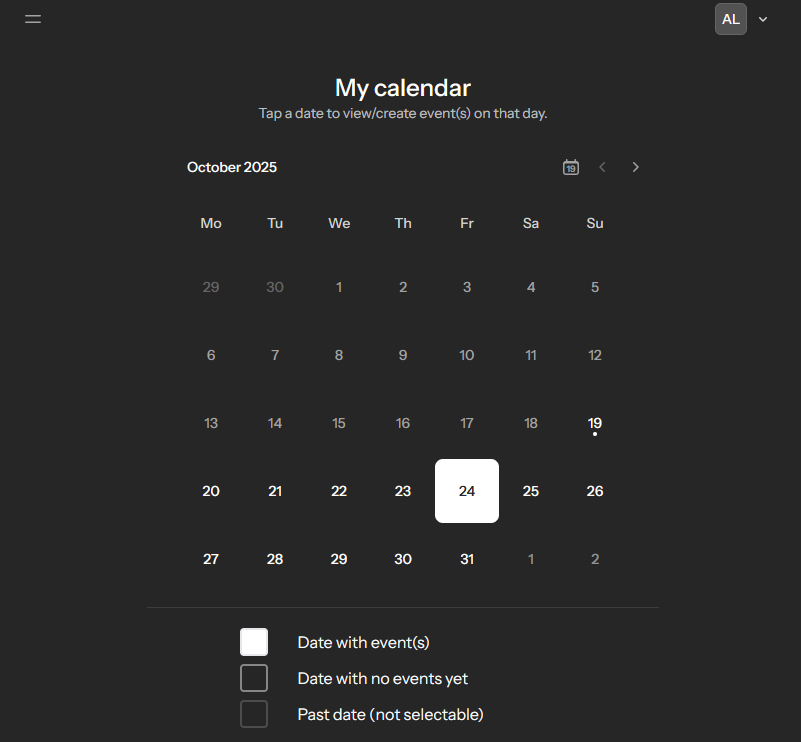
Use your calendar and day views to understand exactly what is coming up and where the free space actually is.
Create or discover the next event
Browse public events or, with premium access, create single-day or multi-day plans with the right visibility from the start.
Invite the right people quickly
Share one invite link, let guests accept or decline on their own time, and keep the attendee list attached to the event.
Keep everyone aligned
Use comments, checklists, and progress tracking so nothing important gets buried in chat before the day arrives.
Pricing
Simple pricing that grows with your role
Everyone can plan for free. Premium unlocks the organiser tools that turn Whenish into a lightweight event operations hub, and new accounts begin with a 30-day premium trial.
Start here
Free
For people joining events, managing their own calendar, and coordinating without extra friction.
£0 /mo
- Join unlimited events
- Manage your personal calendar and day views
- Search public events and people
- Handle invitations, comments, and checklist participation
- Manage appearance, account details, and API credentials
- 30 days premium trial included
Most popular
Premium
For organisers who need to create events, shape the guest experience, and keep shared plans moving.
£3 .99 /mo
- Everything in Free
- Create and edit organiser-owned events
- Use formatted event details and public/private visibility controls
- Share invite links and manage attendees
- Create, reorder, and manage checklists
- Priority support for premium organisers
Questions people ask before signing up
Clear answers, up front
Is Whenish still useful on the free plan?
Yes. Free accounts can join unlimited events, manage a personal calendar, search public events and people, handle invitations, comment, participate in checklists, and manage their account settings.
What do public calendars actually reveal?
They show when someone is busy while masking the details of private events, so you can coordinate around availability without oversharing.
How do invitations work?
Each event includes a shareable invite link. Guests can open the invite page and decide whether they are attending without extra admin from the organiser.
What does premium unlock?
Premium unlocks event creation, event editing, rich details, visibility controls, attendee management, and full checklist management for organisers.
Start with less friction
Create your account and turn "maybe" into scheduled.
Join events for free, explore the premium organiser workflow, and see how quickly shared planning feels clearer when the calendar is the source of truth.